Riding an electric unicycle safely
An electric unicycle has no handlebar and no brake lever. You balance, steer and slow down with your body, so most of your safety comes from the habits you build, starting with the first session. Here is what to wear, how to learn, what the wheel is telling you and how to look after the battery.
Protective gear: never ride without it
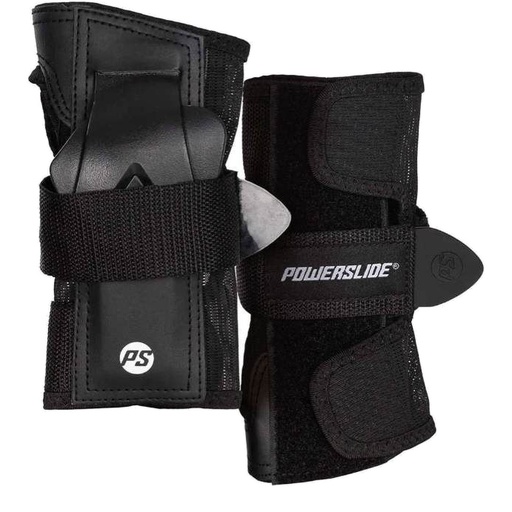
We do not recommend riding an electric unicycle without protective gear, not even for a first try. While you learn, you spend most of your time at walking pace, which is exactly when protection feels unnecessary, and falls while learning are normal. Put it on before the first session and keep wearing it.
| Gear | Learning and slow riding | Faster riding (above about 25 km/h) |
|---|---|---|
| Helmet | A bicycle helmet can do | Full-face helmet only |
| Hands and wrists | Roller-skate wrist guards | Motorcycle gloves with reinforced palms |
| Elbows and knees | Hard-shell roller-skate pads | Motorcycle elbow, knee and shin armour |
| Body | Long sleeves and trousers | Motorcycle jacket with armour, or a body-armour vest |
| Feet | Closed shoes with flat, grippy soles | Sturdy ankle-high boots |
Bicycle helmet or full-face helmet?
A bicycle helmet protects the top and back of the head. A full-face helmet also covers the chin, jaw and face, which take the hit when you fall forward at speed. While you learn at low speed, a bicycle helmet can do. As soon as you ride faster, wear only a full-face helmet.
Protective gear in our shop
To start
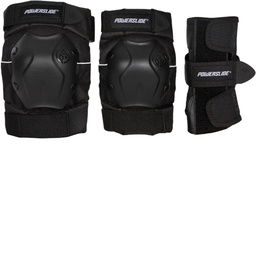
Powerslide Standard protection set (3 pieces)
Three-piece protection set; sizes M to L/XL.
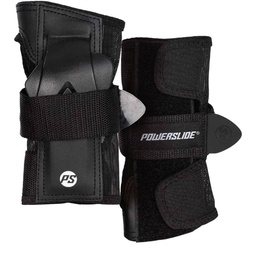
Powerslide Standard wrist guards
Wrist guards; sizes S to L/XL.
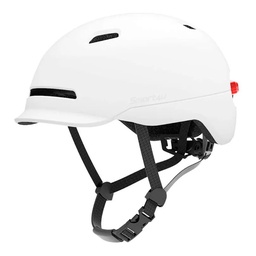
Xiaomi SMART4U helmet
Open helmet for learning at low speed; M (54–58 cm) / L (57–61 cm).
For faster riding
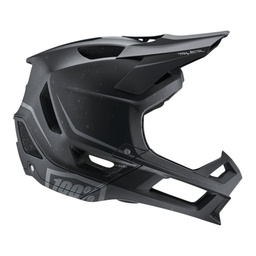
100% Trajecta full-face helmet
Full-face helmet with Smartshock rotational protection; M (57–58 cm) or L (59–60 cm).
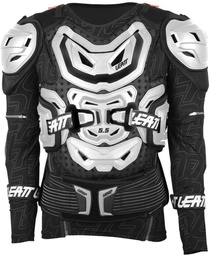
Leatt 5.5 protective jacket
Protective jacket; size XXL, for riders 184–196 cm tall.
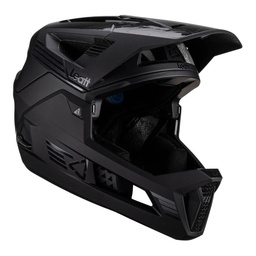
Leatt MTB Enduro 4.0 V23 helmet
MTB enduro helmet; sizes S to L (51–63 cm).
Be seen as well: use the wheel's lights and wear bright or reflective clothing. See our helmets and body protection.
Learn slowly, away from traffic
Pick a flat, smooth, empty place: a quiet parking lot, a court, a wide path with no cars. Start next to a wall, a fence or a friend's shoulder, and practice getting on, rolling a few meters and stepping off before anything else.
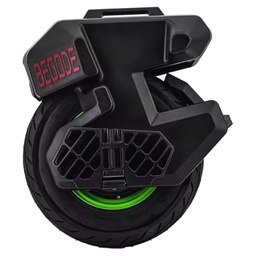
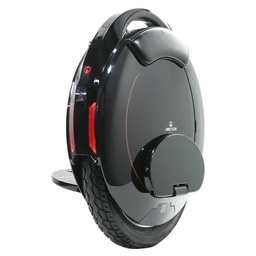
Expect it to take a few sessions. In one published review of the INMOTION V9, a first-time rider could ride after a couple of sessions of about two hours, and getting on and off took longer to feel natural. Low-speed balance is the hardest part. A wheel built for learning helps: the two-tire INMOTION E20 holds you steady sideways, and the BEGODE Future's fat tire stays steady at walking pace.
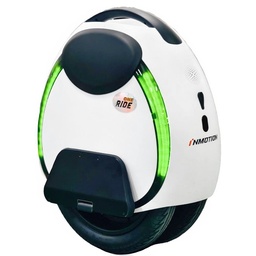

Use the beginner limits
Most learner and city wheels let you cap the speed in the app, and several leave the factory already limited. Keep the limit low until starting, stopping and turning happen without thinking, then raise it a step at a time.
| Wheel | How it limits speed while you learn |
|---|---|
| INMOTION E20 | Beginner mode 7 km/h, Normal 15 km/h, Sport 20 km/h |
| INMOTION V8S | Factory limit 25 km/h, raised in the app to 35 km/h |
| KingSong 14S PRO | Factory-limited to 25 km/h; maker top speed 30 km/h |
| KingSong 14D PRO | Speed limit until unlocked in the KingSong app; 30 km/h after unlocking |
| KingSong 16S PRO | Limited on a new wheel for about the first 10 km, then raised in the app to 35 km/h |
| KingSong 16X PRO | Adjustable app limits, raised step by step toward 60 km/h |
| INMOTION V9 | Ride modes; one-time activation in the RideConnect app before the first ride |
Know what the wheel is telling you
- Beeps and tilt-back. As you approach a speed or power limit, most wheels beep and tilt the pedals back to slow you down. Treat both as an instruction to ease off, never as something to ride through. Many apps, such as BEGODE's and LeaperKim's, let you set speed alerts and tilt-back yourself.
- Low battery. A wheel's top speed falls as the battery drains. Ride more gently on the last part of the charge.
- Fault messages. If the wheel reports a fault, stop and ask for service before you ride again, even if it still balances. The LeaperKim Sherman L, for example, keeps balancing if a motor sensor fails, so that you can stop safely, not so that you can ride on.
- Buttons and lift sensors. Learn what each button does before you ride. Several wheels have an anti-spin button or a lift sensor that stops the motor when you pick the wheel up, and in one review of the INMOTION V9 a tester pressed the button under the handle by accident while mounting.
- Hard braking at speed. Practice slowing down progressively at low speed first. One review of the NOSFET Aero describes wobble under hard braking from high speed.
Water: ride with care, dry it upright
An IP rating tells you how well the wheel is sealed, not where you can ride it. These are the manufacturers' own ratings, as shown on our product pages. Treat them with some caution: no wheel is guaranteed waterproof, whatever its rating.
KingSong 16S PRO, KingSong 18XL PROManufacturer's figure. Light rain with care; keep out of puddles.
KingSong 14D PRO, INMOTION E20, INMOTION V12 PROManufacturer's figure. Light rain with care; keep out of puddles.
INMOTION V12S (body; battery pack and controller IP67), INMOTION X1 (whole wheel; battery IP67, motor IPX6)Manufacturer's figure. Rain with care; keep out of big puddles.
NOSFET Aero, NOSFET XENO, INMOTION V9 (body), LeaperKim ORYX, KingSong F22 PRO (key components), INMOTION P6 (body; battery IPX7), KingSong F18Manufacturer's figure. Rain with care; keep out of big puddles.
BEGODE C8, BEGODE Blitz Pro, BEGODE Falcon PROManufacturer's figure. Still not for deep water or pressure washing.
In practice most wheels ride fine in the rain if you take it carefully: slow down, brake earlier and keep out of big puddles and standing water. Never clean the wheel with a pressure washer or hose. After a wet ride, let it dry standing upright, not lying on its side, so water can't run inside, and follow its manual before you charge it.
A two-minute check before every ride
- Tire pressure. Use the figure in the manual or on the product page: for example 2.5 bar on the INMOTION V12 PRO, 2.8 bar on the V12S and 3.0 bar on the E20.
- Suspension. Air shocks need the right pressure for your weight: the INMOTION V9 is pressure-adjustable, the KingSong S18 PRO+ comes with a pump, and the LeaperKim Sherman P's air chambers run at 2.0 to 3.5 bar.
- Pedals and bolts. Check that nothing has worked loose. One KingSong F18 owner reported screws loosening and recommends thread-locker.
- Lights and charge. Headlight and taillight working, and enough battery for the trip with some to spare.
- Firmware. Many wheels update through their app. Install updates at home, not at the start of a ride.
Charging and storing the battery
- Use the charger supplied with the wheel, or one made for its voltage. A 151.2 V wheel needs a 151.2 V charger.
- Use extra or faster chargers only where the product page says the wheel accepts them, and only up to the stated current.
- Do not charge a wheel that is wet, damaged or unusually hot. Stop using it after a hard impact to the battery area or any electrical fault, and ask for service.
- Follow the manual for storage temperature and for the charge level to leave the battery at when the wheel will stand for a while.
Before you ride in public
The rules for where electric unicycles may be ridden are set by each country and often by each city. Check them before your first ride outside a private area; our guide to checking the local rules lists official starting points.